Hotel Lobby AI Video Generator
Two photos in. One silent 5-second duo clip out.
- 5s
- Silent
- 9:16
Sign in with Google — get 450 free credits. Generate asks you to sign in first.
Use photos you have the right to use. No celebrities.
Video samples
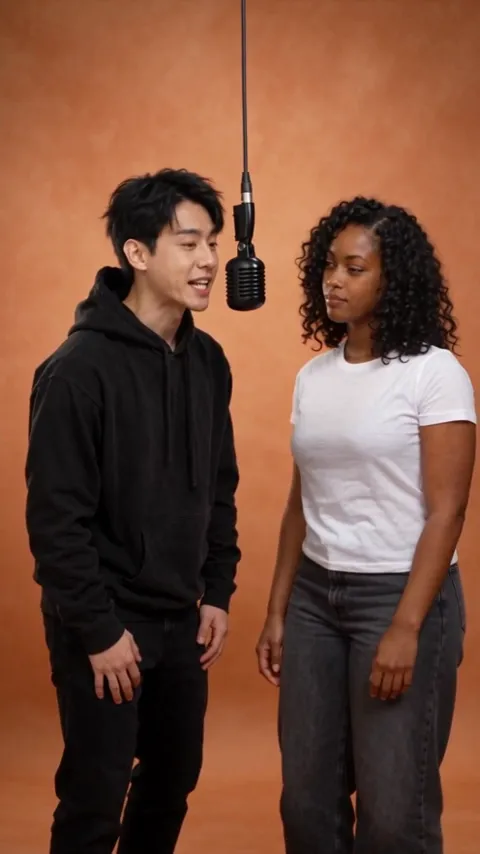
Made from two fictional AI-generated portraits (not real people) with the same video model and scene prompt this tool uses. Sample 1 is the exact template look; 2 and 3 are prompt variations. Results vary with your photos.
How it works
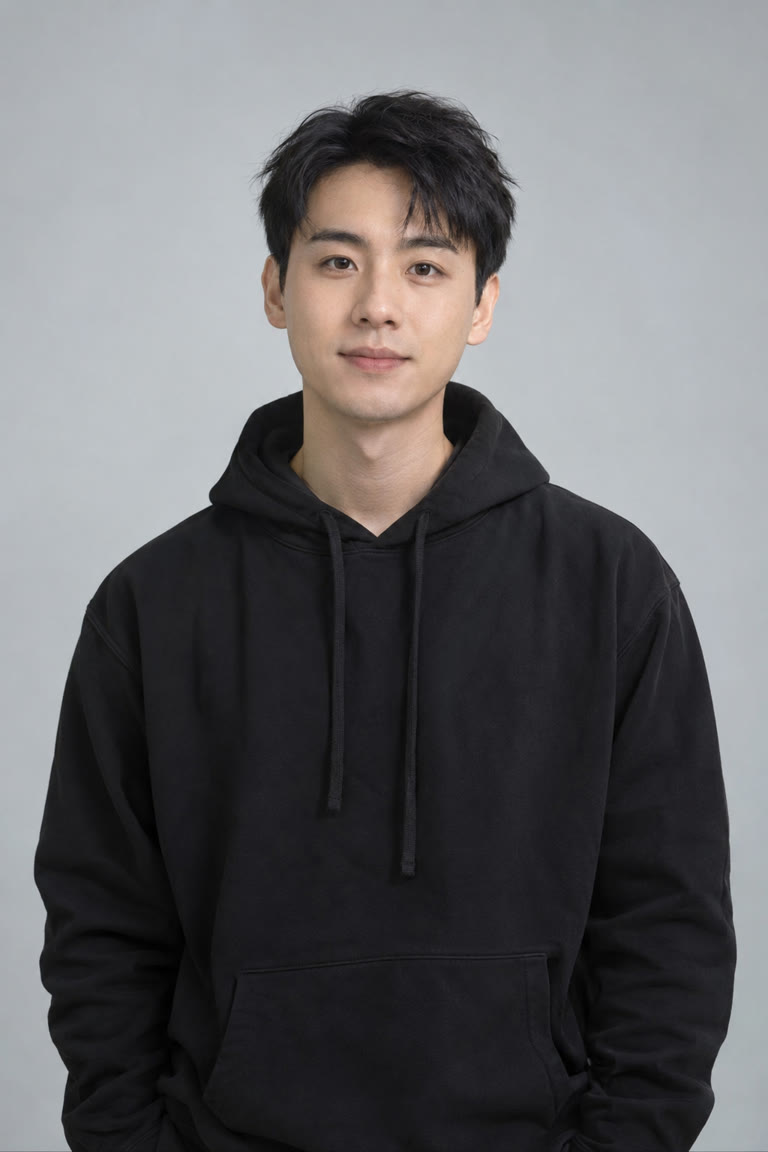
Left photo
One clear photo of the person who stands on the left.
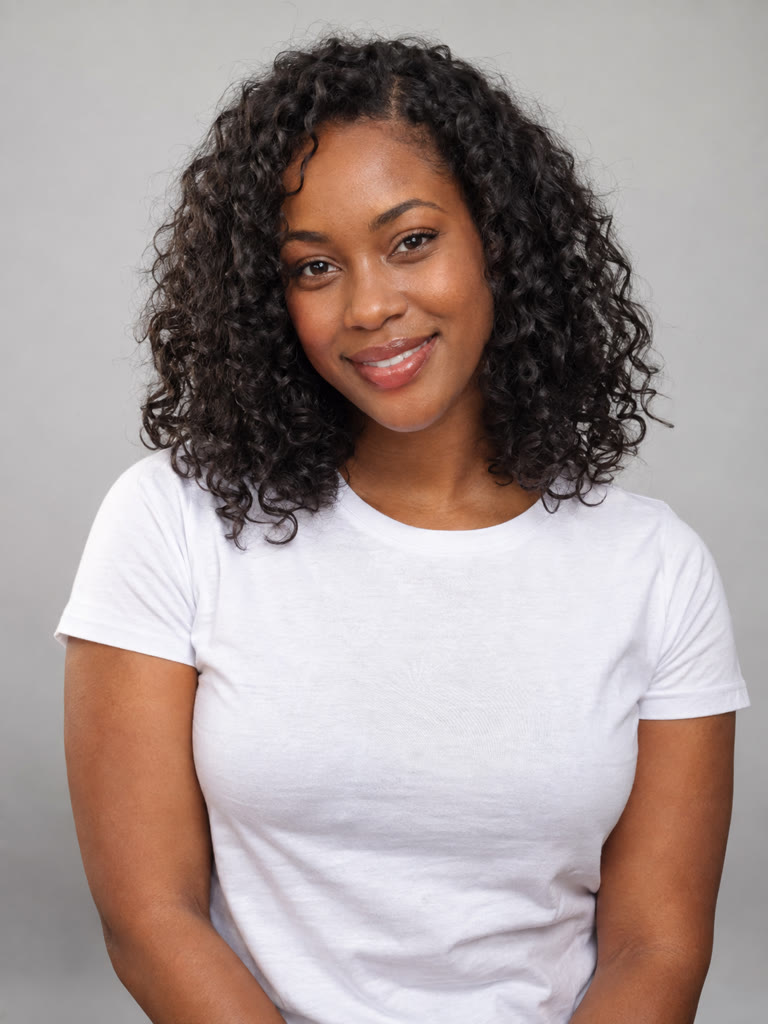
Right photo
One clear photo of the person on the right. Swap sides any time.
Generate
The exact credit cost shows before you start. A render takes about 2–3 minutes.
Add your sound
Save the silent clip and add your own audio in the app you post with.
Why EZ Reels
| Feature | EZ Reels | Generic AI Video Tools | DIY Model Picking |
|---|---|---|---|
| Separate left and right photo slots | Yes | No | No |
| Exact credits shown before generating | Yes | No | No |
| Silent clip — bring your own sound | Yes | No | Yes |
| Original song or lip-sync included | No | No | No |
What the hotel lobby trend is
The hotel lobby trend is a wave of short videos where two people are dropped into a well-known two-person music performance: a bare orange studio, a single microphone hanging from the ceiling on a long cable, a camera that never moves, and two performers trading turns at the mic while the other one sways and waits. The format took off on short-video apps in September 2026, and people now use it for friends, couples, coworkers, and fictional characters. The name comes from the song people pair with the clips, not from a real hotel lobby — the look that everyone recreates is the orange studio.
EZ Reels is not connected to the original performers, their label, or the show that filmed the original session. This tool only recreates the general look of the trend — an orange studio, a hanging mic, two people side by side — with the people from your own photos.
How this hotel lobby AI video generator works
Most image-to-video tools take a single photo. The hotel lobby format needs two people who stay themselves for the whole clip, so this page has two separate photo slots: Left and Right. The photo in the left slot becomes the person standing on the left of the frame, and the photo in the right slot becomes the person on the right. If you load them the wrong way round, press the swap button between the slots before you generate.
Both photos are sent to a video model that accepts several reference images at once and is told which reference belongs to which side. The scene itself — the orange backdrop, the ceiling mic, the locked-off wide shot, the turn-taking movement — comes from a fixed, tested prompt, so you don't need to write anything. In our own test renders with two fictional portraits, all three clips kept each person on their own side, with no face blending and no side swaps. That is a small test, not a guarantee, so check your result before you share it.
What you get — and what you don't
- Length: 5 seconds per clip.
- Format: vertical 9:16, ready for TikTok, Reels, and Shorts.
- Sound: none. The clip is silent so you can add your own audio.
- Mouths: the people move and lean toward the mic, but their lips are not synced to any song.
- People: two — one from each photo. Group shots and single-person versions aren't supported here.
We keep this list short on purpose. Other hotel lobby tools advertise 30-second clips or the original song attached. We only describe what we have actually rendered and checked, and right now that is a silent 5-second duo clip. If longer clips or audio become something we can deliver reliably, this page will say so.
Choosing photos that work
The model rebuilds each person from a single photo, so the photo is the single biggest factor in how recognisable they look in the clip.
- One person per photo, facing the camera, face clearly visible and in focus.
- Waist-up or chest-up framing works better than a tiny face in a wide shot.
- Even light, no heavy filters, no sunglasses or masks covering the face.
- Clothing carries over, so pick an outfit you like — it shows up in the studio.
- JPG, PNG, or WebP, under 8 MB, at least 300 pixels on each side.
Only use photos you are allowed to use: yourself, or people who have agreed to be in the video. Please don't upload celebrities, public figures, or strangers. The video model also has its own safety check on faces and sometimes declines a photo of a real person; when that happens the attempt is cancelled and its credits come back to your balance automatically. A different, clearer photo usually solves it.
Credits and price
A Hotel Lobby clip costs the amount shown next to the Generate button — the same number the server charges. Credits are reserved when the render starts and returned if the render fails or the model declines a photo. Your first Google sign-in on this browser gets a one-time welcome allowance with no card needed, which covers one watermarked Hotel Lobby clip. Monthly and annual plans add monthly credits and remove the watermark; see Pricing for the current plans.
Adding sound and posting
Because the clip is silent, the last step happens in the app you post from. Save the video, open it in TikTok, Instagram Reels, or YouTube Shorts, and pick the sound you want from that app's own audio library — that way the platform handles music licensing for its own catalogue. The fixed camera and the steady orange background make the clip easy to loop, caption, or trim. If you want to try different pairings, generate again with new photos; each render is a fresh take, so the movement and timing will vary a little each time.
Other ways to use the format
The same two-slot setup works for any pair: best friends, a couple, siblings, two coworkers for a team announcement, or two of your own characters. For a single photo — a pet, a portrait, a product — the main image to video editor has every model, length, and resolution with exact credits. And if you want a still photo to move on its own, start with Animate Photo.
Frequently asked questions
What does the hotel lobby AI video generator make?
Does the video include the song or lip-sync?
Can I use photos of celebrities or other people?
Why was my photo declined?
How long is the clip and can I make it longer?
Is it free to try?
Explore more
Image to Video
The main editor for single-photo videos with every model and setting.
Animate Photo
Bring one still photo to life with subtle or dynamic motion.
Photo to Video AI Free
Turn one photo into a short video with a free welcome render.
Talking Pet
Expressive, reaction-style pet video effects.
Pricing
Monthly and annual plans with clear monthly credits.
All Tools
Every EZ Reels tool in one place.